The
Spectrum - User Guide / FAQ
Written by Lee Friend. Last update: 17/03/2026.
Introduction
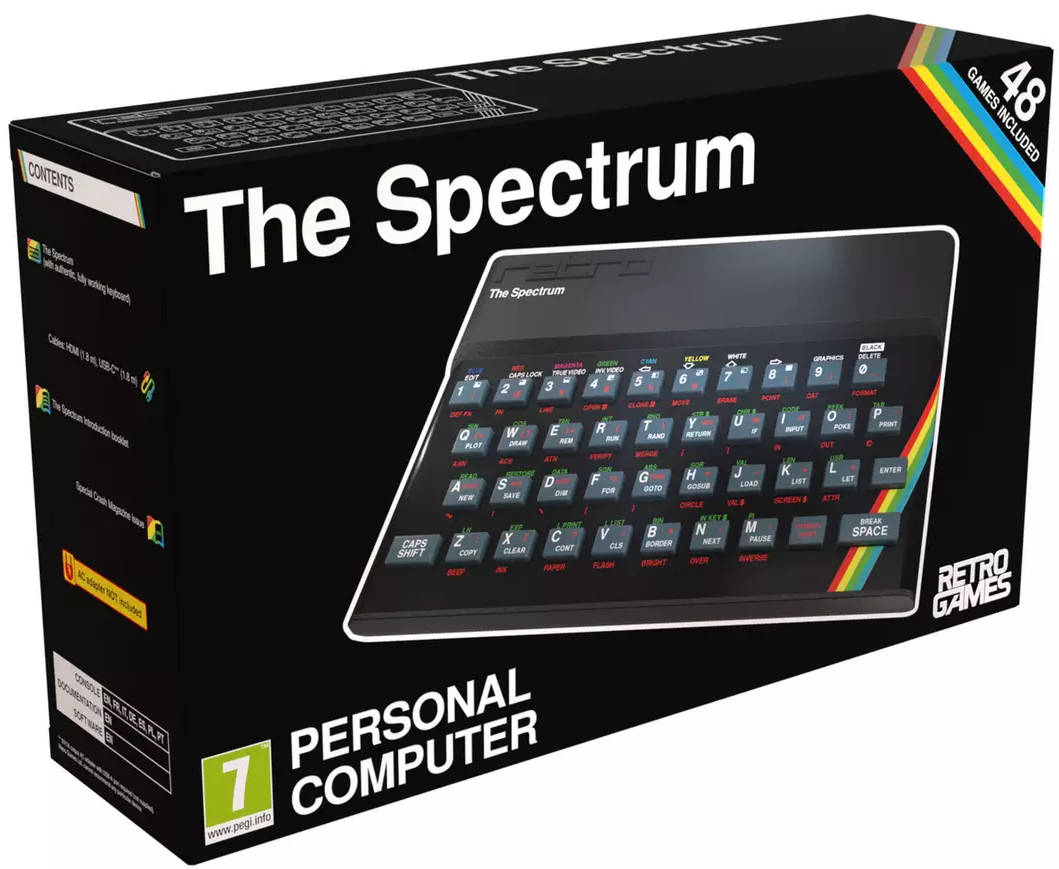
I decided to buy The Spectrum by Retro Games Ltd in December 2025,
after originally owning a ZX Spectrum and two ZX Spectrum 128+2
between 1984 to 1989. It was the home computers I grew up
with from aged 10 to my mid-teens, I owned over 150 Spectrum games
during those years, which was the biggest collection of games that
I've ever owned for a system. It was also the first computer
I started learning BASIC in 1984, it got me interested in
programming, which lead me to become a Software Dev in 2000, up to
2015. Thank you Sir Clive Sinclair and Lord Sugar!
Setting up The
Spectrum (Important! Please read)
In The Spectrum box, it already comes with an HDMI cable to
connect your The Spectrum to your HD TV. And it also comes
with a USB C cable for power. The problem is, there is no
plug adapter included in the box. I read that I do need to
get a 5v DC 2 to 3 Amp plug adapter. Anything with too much
power could ruin and break The Spectrum. Anything with low
power means it might not have power to run a controller or USB
stick. In the end I bought a Raspberry Pi 4 USB-C plug
adapter which costs around £10 or $15. Amazon do still sell
them, as probably eBay does too. It's worth the investment.
You also need to get a USB stick (or 2). I recommend a 16GB
USB stick, which should allow you to put on it all the Spectrum
games that you want to play. Remember The Spectrum already
comes with some games pre-loaded, but I guarantee that you will
want to play some more games. You must format your USB stick
formatted using FAT32. This can be done on any MS Windows
PC. Some USB sticks are already formatted when purchased.
Also you might need to update The Spectrum's firmware, which can
only be done from a USB stick. Remember this computer
doesn't have wifi. The current firmware available is version
1.0.3. To check what firmware your The Spectrum has, do the
following: Once you power on The Spectrum, Go to
Options. Advanced options. System information.
That will tell you what version of firmware that you are
running. If it's not version 1.0.3, then you need to do an
update. Retro Games Ltd explains in details how to do that here.
I would also recommend buying a compatible
controller/joypad/joystick (must have a USB connector) if you
don't already own one. The latest firmware helps with the
compatibility with a lot of well known controllers (again another
reason to update your firmware if needed). From my
experience, I first tried a controller, a Google Stadia
joypad. Now this controller I have used with my PC when
playing games via MS Window 10/11 and always worked fine.
So, I thought I could use it. I plugged it in and noticed it
was working when navigating The Spectrum's onscreen menu.
But when I loaded up a Spectrum game, it didn't work.
Disappointing. Luckily, I found in my cupboard an old Sony
PS3 controller, and that did work. So really, you need to
invest in a compatible controller. Retro Games Ltd do sell
compatible controllers, though I'm not sure how great they are so
do check customer reviews first. Note: when playing a
Spectrum game, select Kempston (if applicable) to work with your
controller. Update: I bought Retro Games 'The CX
Stick', and it works well with The Spectrum. Watch a quick
video review I recorded about it here.
Links
This web page is still under
construction, so bookmark this page and check back for new
updates.
Here are some handy The Spectrum links I found on The Web:
Other information
For any The Spectrum
queries, I can be contacted on email lee@leefriend.org.
Lee Friend, 1994-2025, -- Page modified:
18/12/2025.